
Introduction
Worxogo’s Nudge Coach provides daily performance insights and coaching nudges to help you stay on track with your KPIs.
When login issues arise, it can disrupt your workflow. This guide equips you with quick troubleshooting tips to identify and resolve common login errors, so you can get back to focusing on your performance goals without delay.
Common Login Issues
1)Error: OOPS! We have encountered a technical problem.
Refer to the snapshot below.
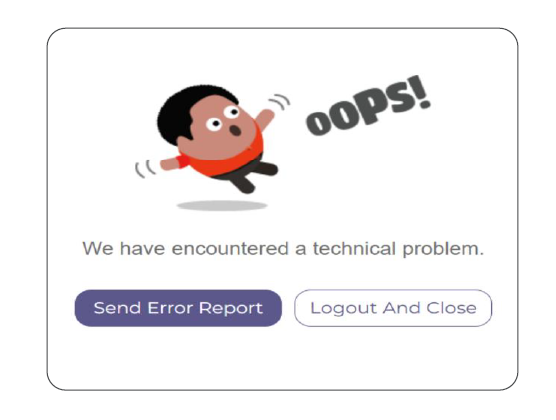
Cause: Bookmarking and using the incorrect URL.
Solution: Bookmark the correct login link provided during onboarding, rather than the final URL you are redirected to. Using the original link helps prevent access issues like the one shown above. Refer to the attached Bookmarking Guidelines for steps to correctly save the original link.
2)Error: The page is blocked due to United Health Group Policy.
Refer to the snapshot below.
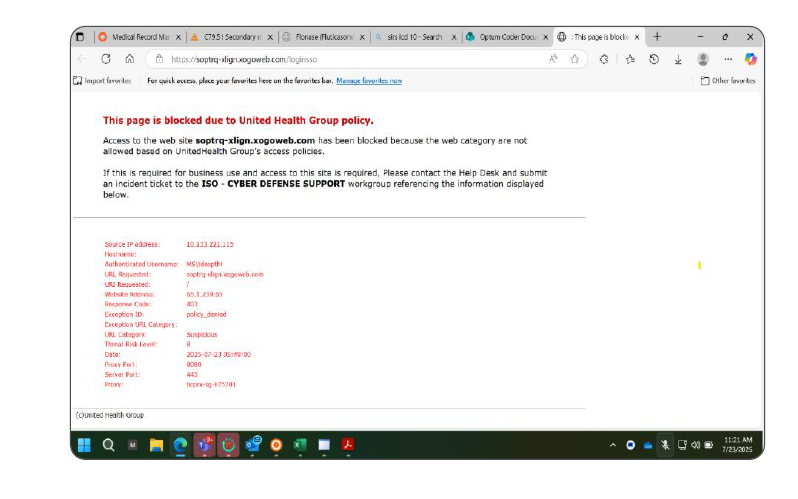
Cause: Zscaler is not updated / enabled.
Solution: Install the latest version of Zscaler for SSO Access. Please ensure that Zscaler is enabled before attempting to log in.
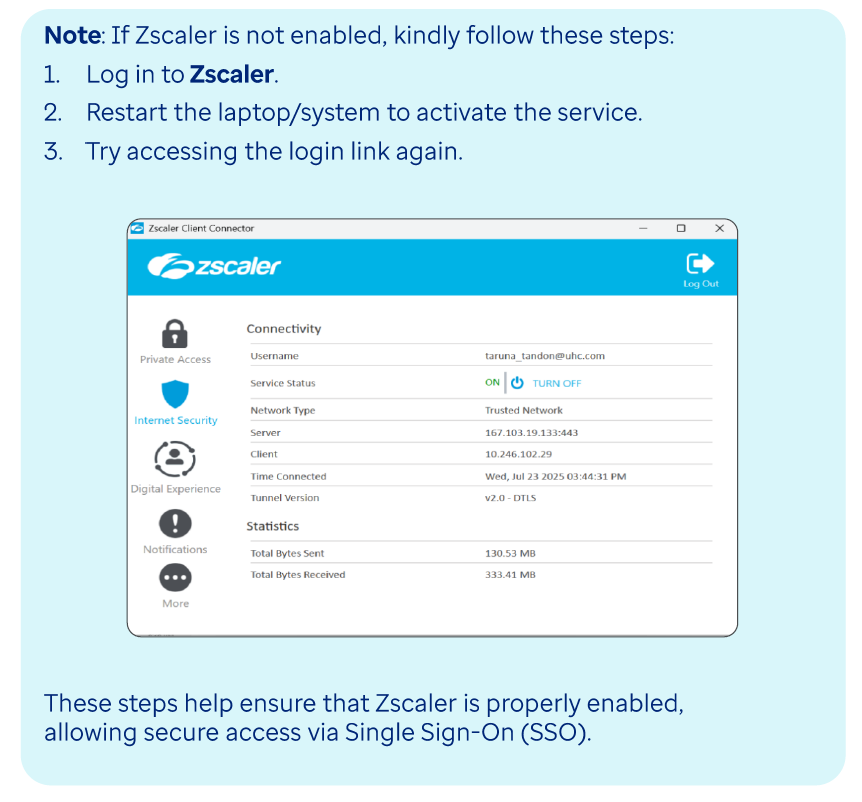
3)Error: AADSTS50105
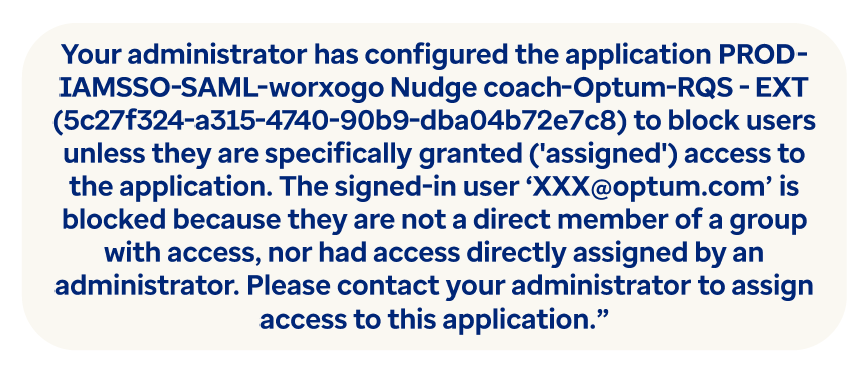
Cause: Single Sign-On (SSO) access has not been extended to you yet, or there may be a mismatch in the email address previously shared with us.
Solution: The Worxogo Program Management Team will assist in resolving this issue. To help us proceed, please update the Error Tracker Sheet / MS Form with the error message and include your details so we can take the necessary action.
4)Error: User Not Found.
Refer to the snapshot below.
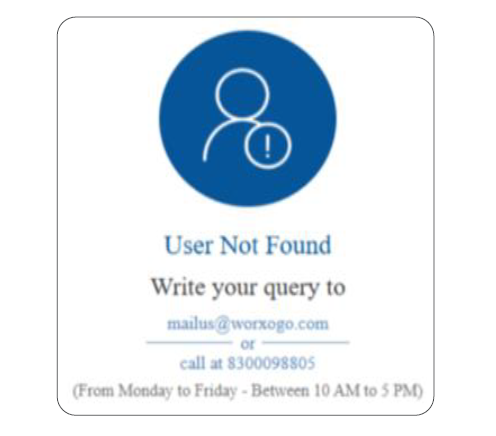
Cause: You may not have been included in the user roster shared by the business, or there could be a mismatch in the email address provided earlier.
Solution: The Worxogo Program Management Team will assist in resolving this issue. To help us proceed, please update the Error Tracker Sheet / MS Form with the error message and include your details so we can take the necessary action.