
STEP 1 – Click on link : https://soptdi-xlign.xogoweb.com/loginsso
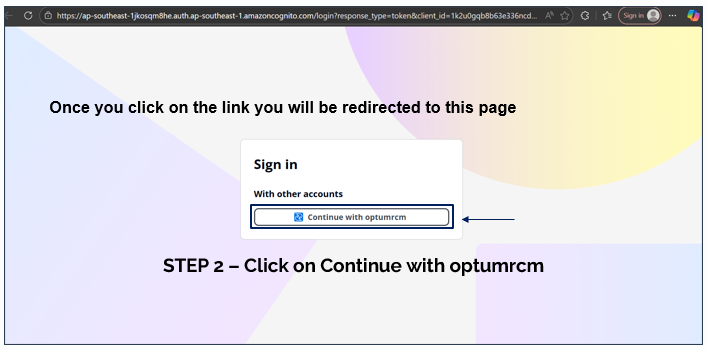
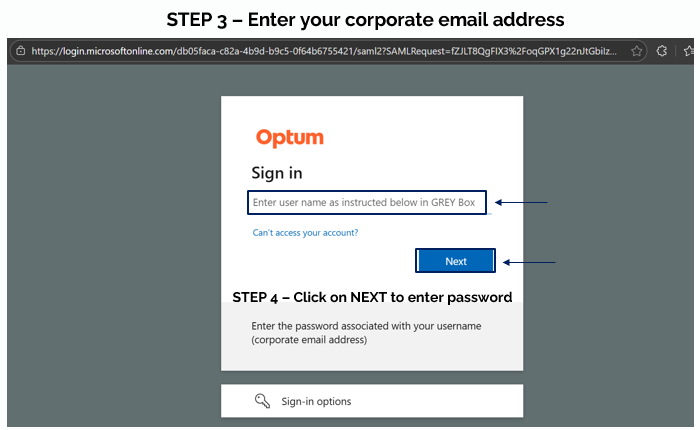
Here are the steps for Login:
1. Open the app link : https://soptdi-xlign.xogoweb.com/loginsso on Chrome/Safari browser
2. Click on "Continue with optumrcm".
3. Enter the Username which is the corporate email address.
4. Click on NEXT to enter password associated with the email address
5. You will land on to the home page of NudgeMate.