
How to set NudgeMate as startup page to browser
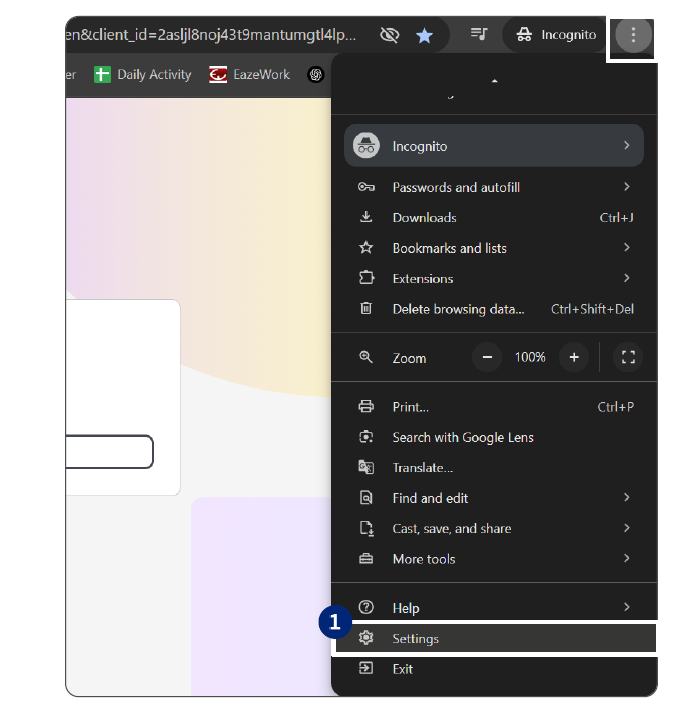
1.Click the ellipses on the top right of the NudgeMate webpage and select settings
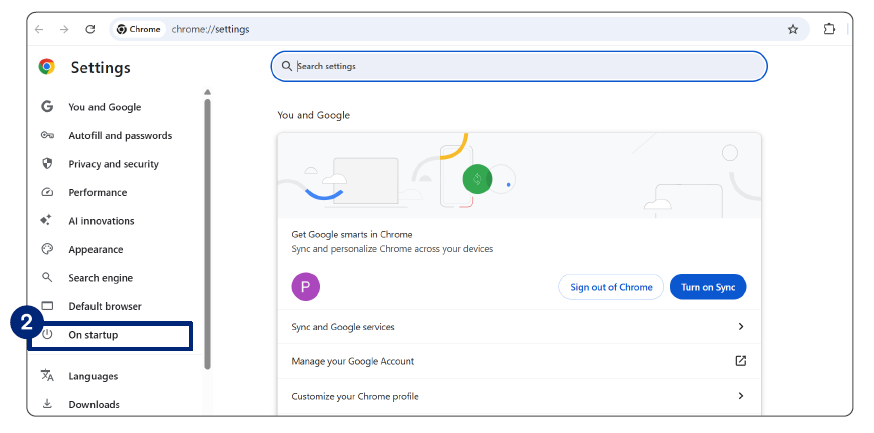
2.The Settings page opens. Click on Startup.
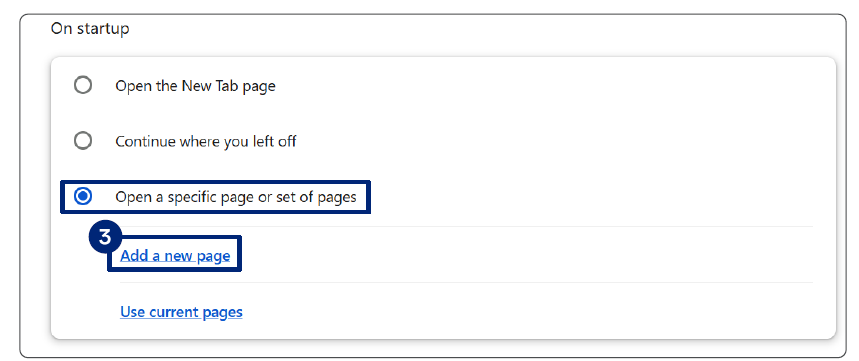
3.Select Open a specific page or set of pages and click the Add a new page link
4.The Add a new page opens. Enter the NudgeMate URL in the site URL field and click Add.
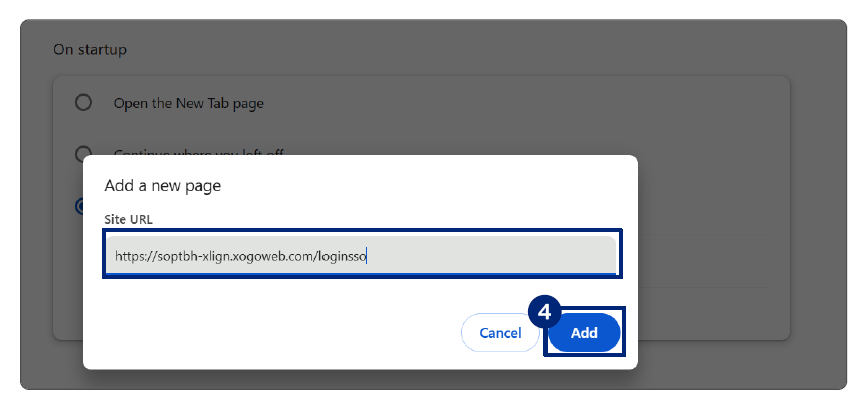
This page is set as your browser's startup page. The NudgeMate login SSO will open automatically when you launch your browser.