
How to create a shortcut?
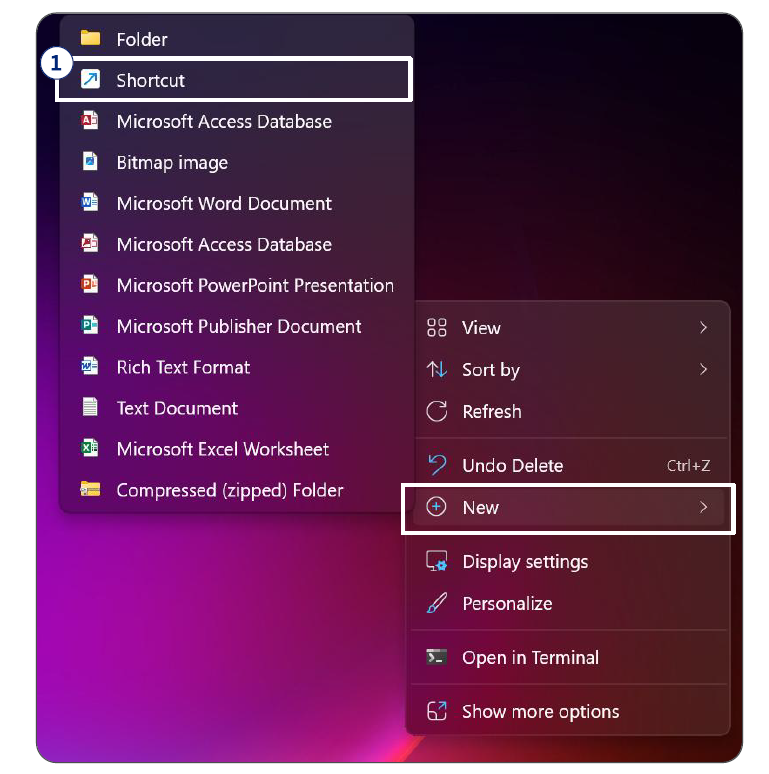
1. Right-click on the Desktop and select New. Click shortcut
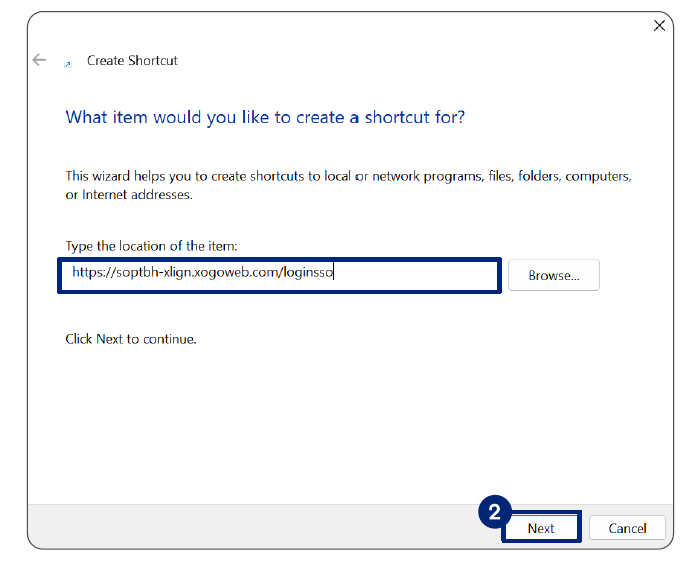
2.Type or paste the login SSO link in the Type the location of the item field and click Next
 3.Type the name of the shortcut and click Finish
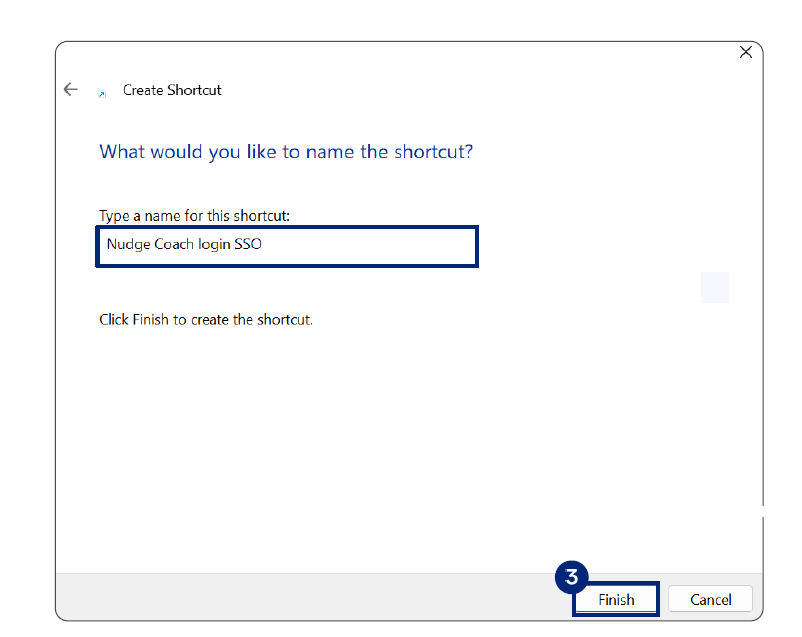
The Nudge Coach login SSO page is added on your desktop. You can directly click the icon to access the tool.