
There are several ways to save the tool on your browser for quick access:
- Add Bookmark
- Create a shortcut
- Set as startup page to the browser
How to add a bookmark for Edge Users:
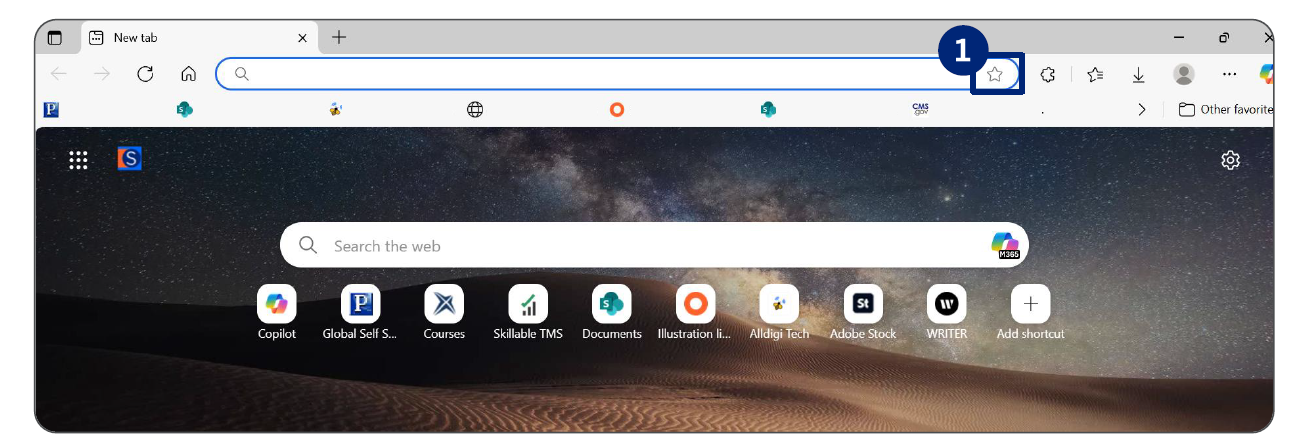
1. Click the star icon on top of the screen to bookmark the website.
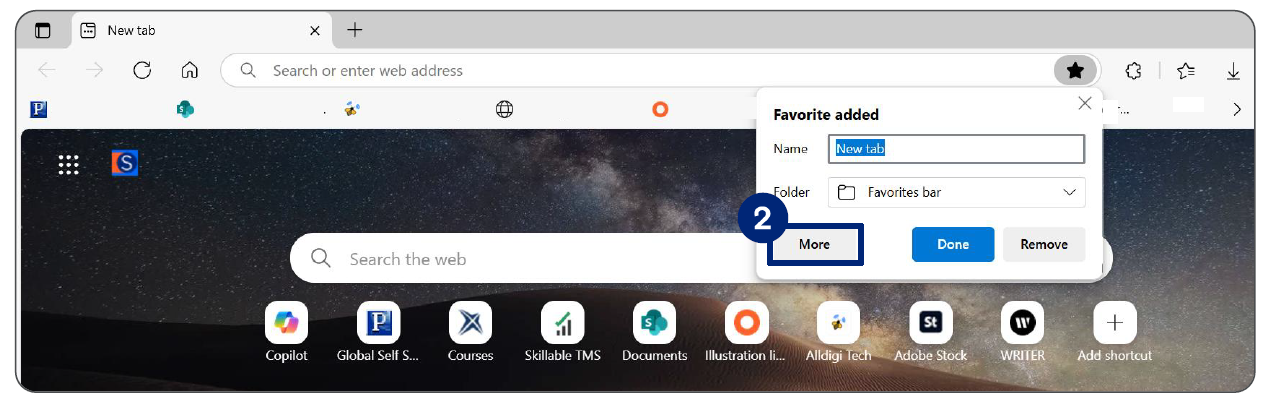
2. Click More in the Favorite added pop-up box.
3. Save the Nudge Coach login SSO link in your favorites bar by:
a.Enter the preferred name in the NAME
b.Add the login SSO URL (https://soptdi- xlign.xogoweb.com/login) in the URL.
c.Select the Favorites bar folder.
d.Click Save.
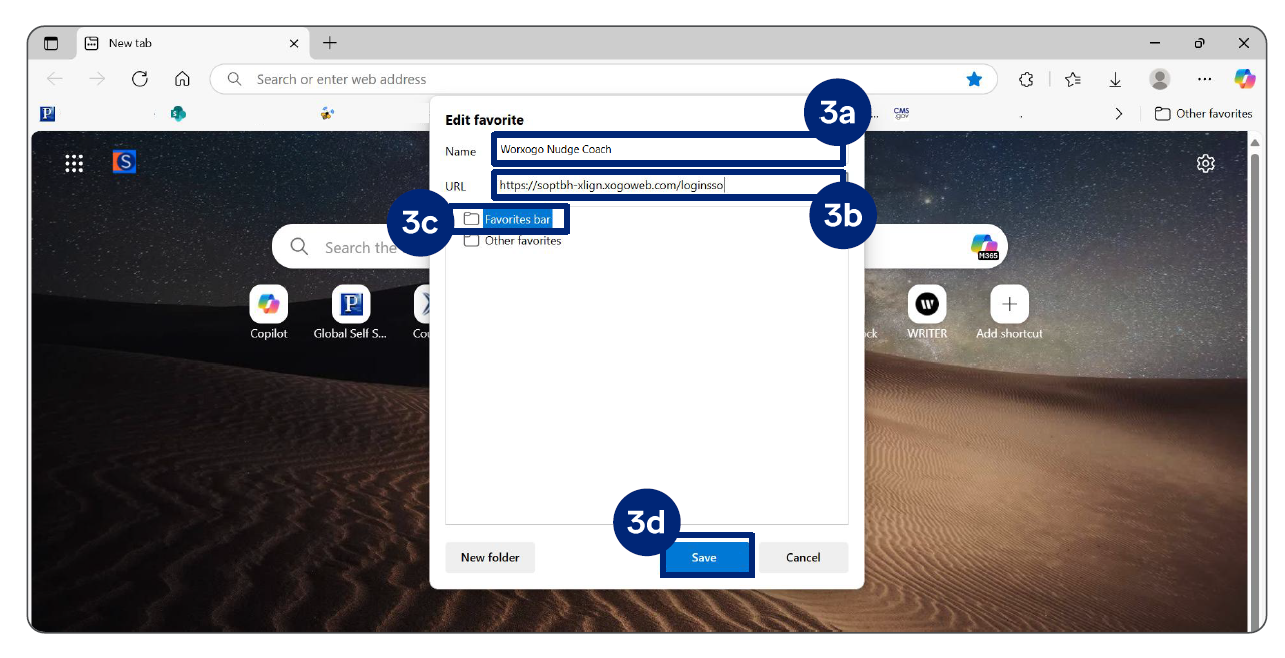
The Nudge Coach SSO link is saved to your favorites
Note: Always use the saved "worxogo Nudge Coach" favorite to launch the worxogo portal