
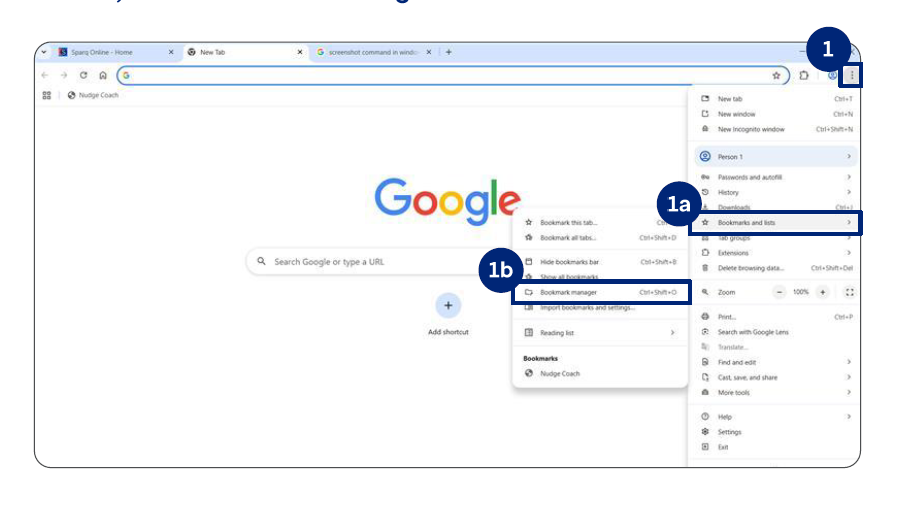
1.Open Chrome and click the ellipses on top right of the navigation bar.
a) Click Bookmarks and lists.
b) Click Bookmark manager.
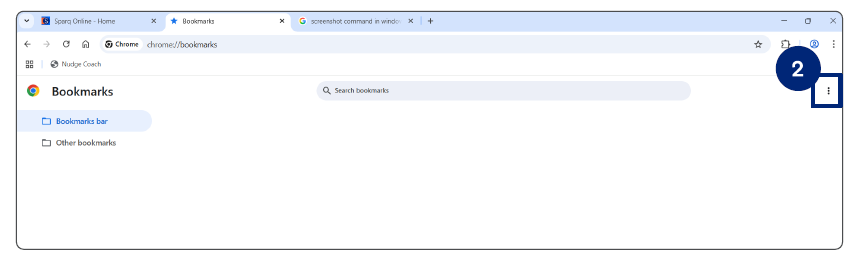
2.The Bookmarks screen opens. Click the elipses on the Top Right.
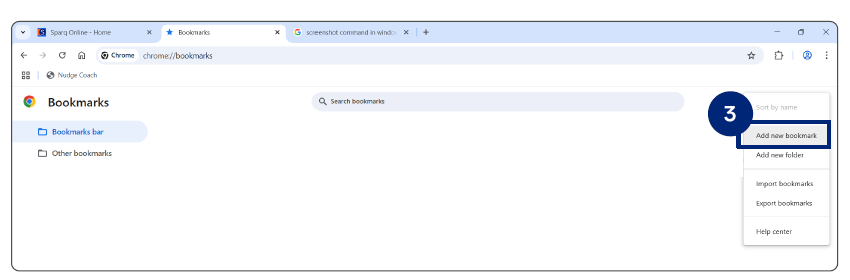
3.Click Add new bookmark
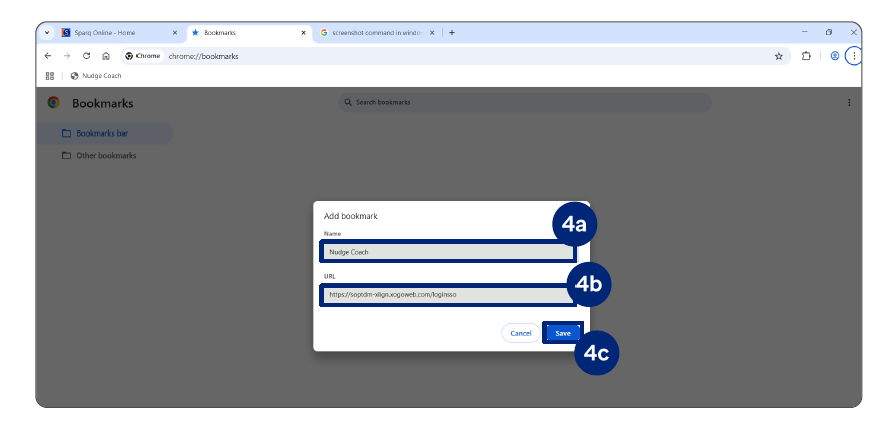
4.Save the NudgeMate login SSO link in your favorites bar by:
a. Enter your preferred name (NudgeMate) in Name.
b. Add the login SSO URL (provided on Pg. 4) in URL.
c. Click Save.
The Nudge Coach SSO link in added in your bookmarks