
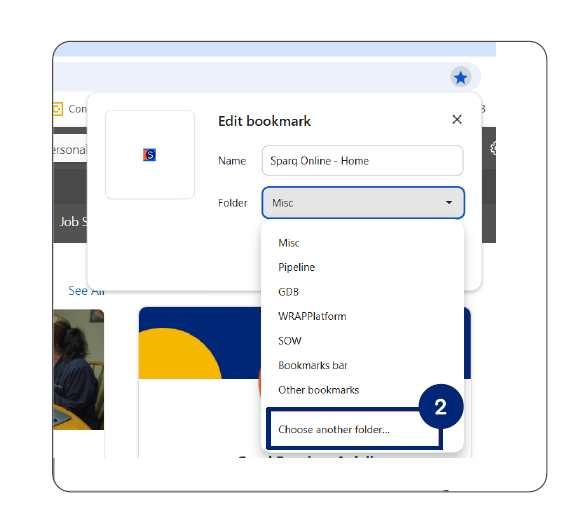
1.Click the star icon located in the address bar or URL bar of your browser.

2.In the Edit Bookmark popup that appears, click on the Folder dropdown to expand additional options. Then, select Choose another folder.
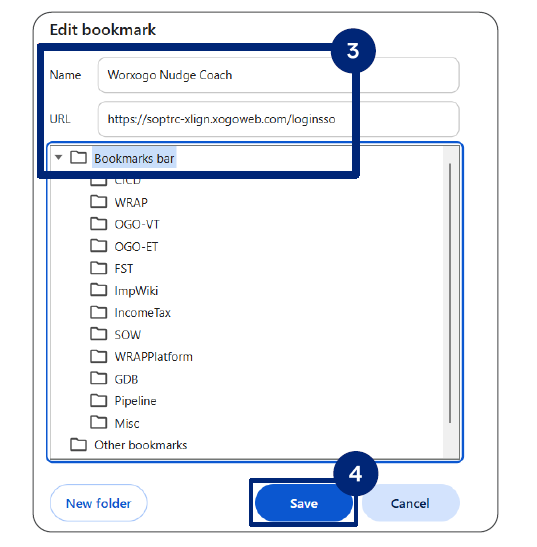
3.Fill in the following details in the popup:
- Name: Worxogo Nudge Coach
- URL: https://soptrc-xlign.xogoweb.com/loginss0
- Choose Bookmarks bar
- Click the Save button to add the URL to your bookmarks.
Note: Always use the saved "worxogo Nudge Coach" favorite to launch the worxogo portal.